
Captiva AI: Your Partner for Innovative Digital Solutions. We specialize in crafting cutting-edge websites, mobile apps, AI-powered systems, and Odoo ERP solutions.
Loading
Captiva AI: Your Partner for Innovative Digital Solutions. We specialize in crafting cutting-edge websites, mobile apps, AI-powered systems, and Odoo ERP solutions.
 Our Solutions
Weighbridge software for truck scales, built on Odoo 18. It keeps working offline and sends every ticket to your ERP.
عربيCaptiva Weighbridge is complete weighbridge software for truck scales, built on Odoo. It reads the scale directly, guides the operator through a two-weighing ticket, ties every weight to a purchase, sales or transfer contract, and sends confirmed tickets to your central ERP, even from remote sites with an unreliable connection.
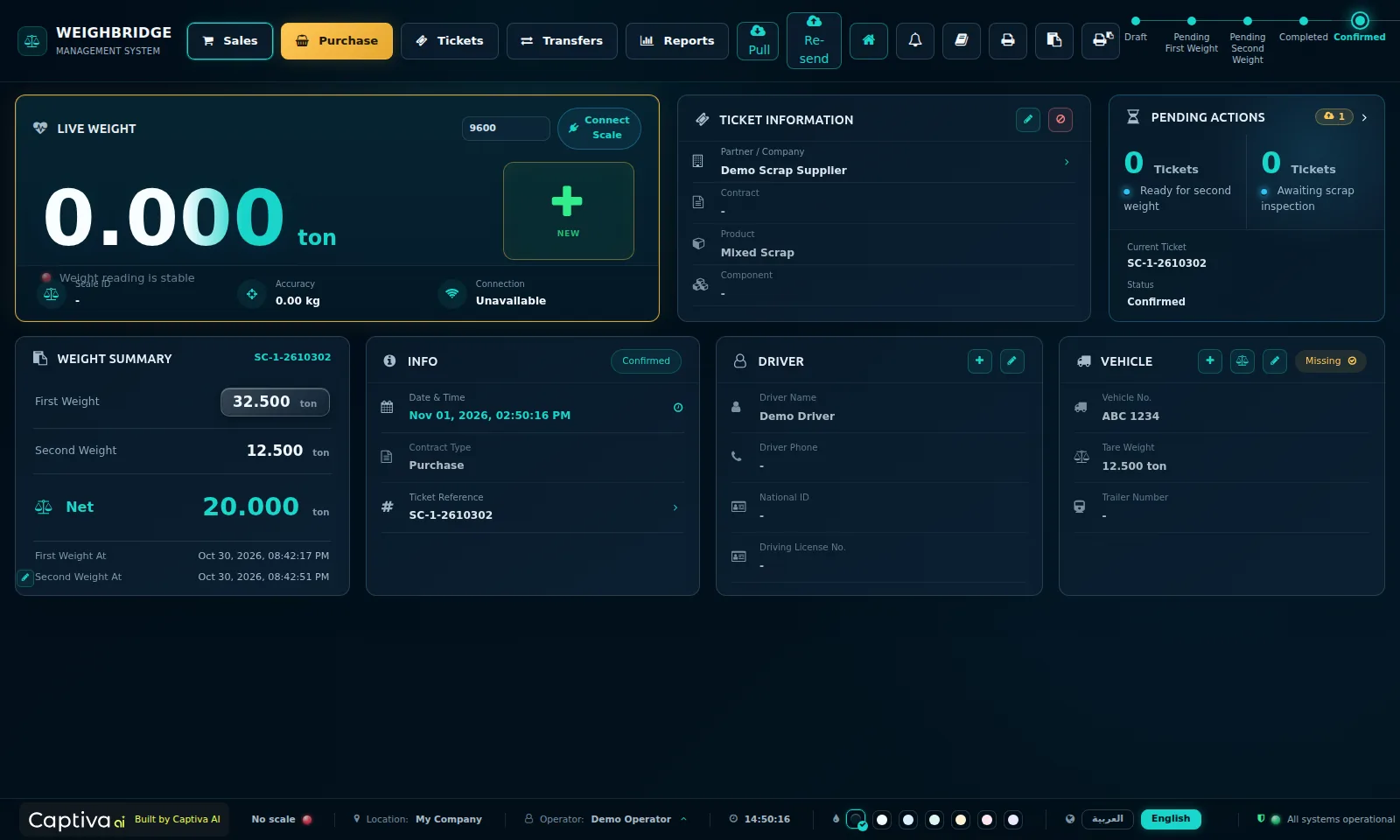
Screenshots from a demo database.
One guided flow at the scale house, from the gate to the ERP.
Pick the contract type (purchase, sale or transfer), the partner, contract, product, driver and vehicle from fast keyboard-driven pickers.
The live reading comes straight from the scale indicator. The operator captures it once the truck is stable.
Loaded or unloaded, the truck returns to the scale. The net weight is calculated automatically.
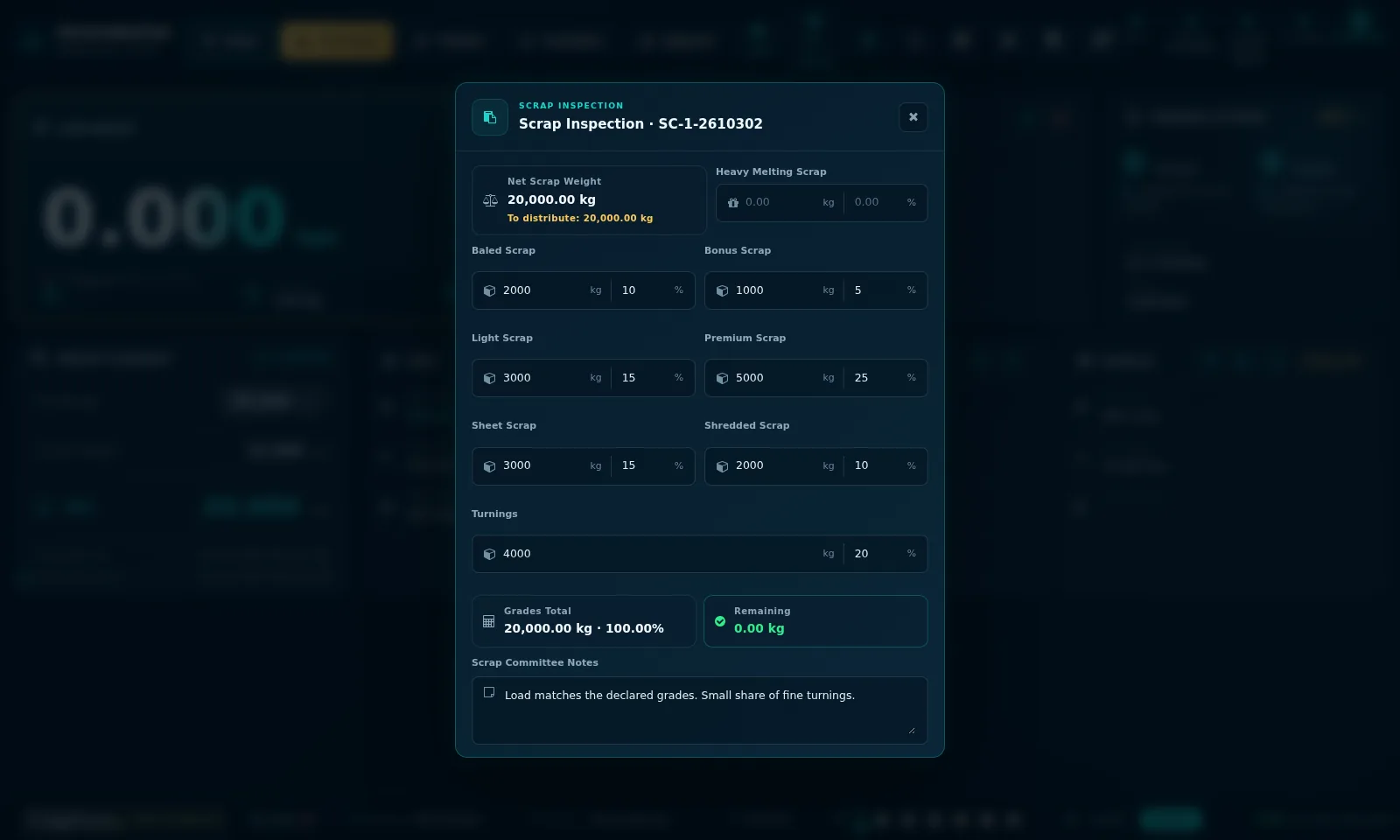
For scrap and graded materials, a committee distributes the net weight across grades before the ticket can sync.
The ticket is confirmed and printed with a QR code for verification.
The confirmed ticket is sent to the central Odoo ERP, where receipts, deliveries and orders follow.
Designed with weighbridge operators, accountants and site managers.
The scale indicator is read directly in the browser over the serial port, with automatic reconnect. Continuous and checksum-framed indicator protocols are decoded and validated, so the reading on screen is the reading on the scale.
Every ticket is linked to a purchase agreement, sales contract or internal transfer, with its products and components, so weights flow into the right document in the ERP.
Each weighbridge runs its own local database and keeps working with no connection. Tickets queue and sync automatically when the link is back, with a retry button and a clear sync status per ticket.
Connect any number of weighbridge stations, and several scales per site, to one central server through a secure API. Connection health for every station is monitored from the centre.
Split the net weight across material grades by kg or percentage, record committee members and notes, and print the inspection report. Sync is held until the inspection is complete.
Role-based permissions, real operator switching with re-login, manual weight entry restricted to authorised users, and a full audit trail on every ticket.
Master data (products, partners, contracts, vehicles) is pulled from the ERP with prices masked, so weighbridge operators never see buying or selling prices.
A full bilingual interface, switchable with one click, designed for operators working long shifts at the scale house.
Offline license activation bound to the station, with expiry warnings and a grace period. No internet license server is needed.
The operator screen runs full screen at the scale house, in English or Arabic.
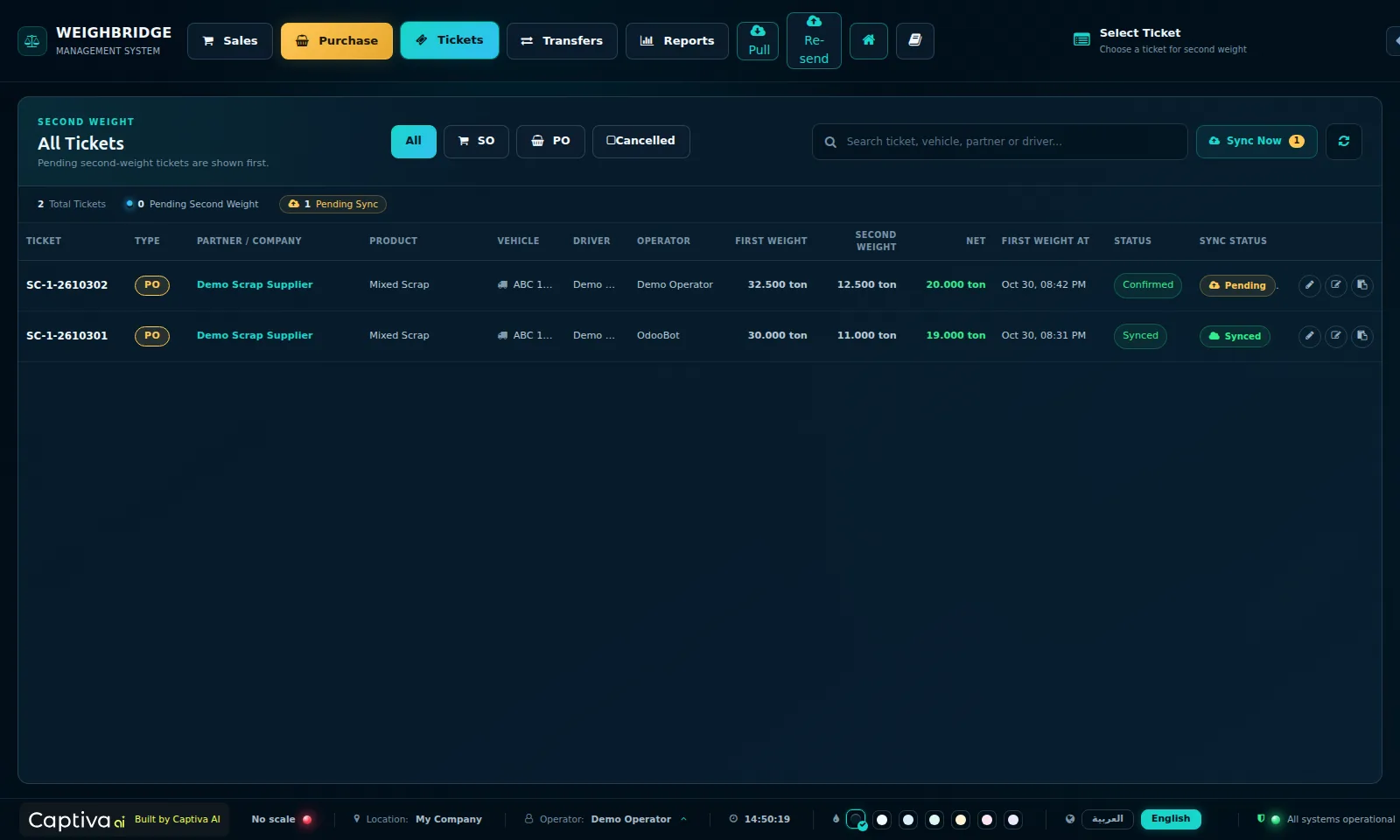
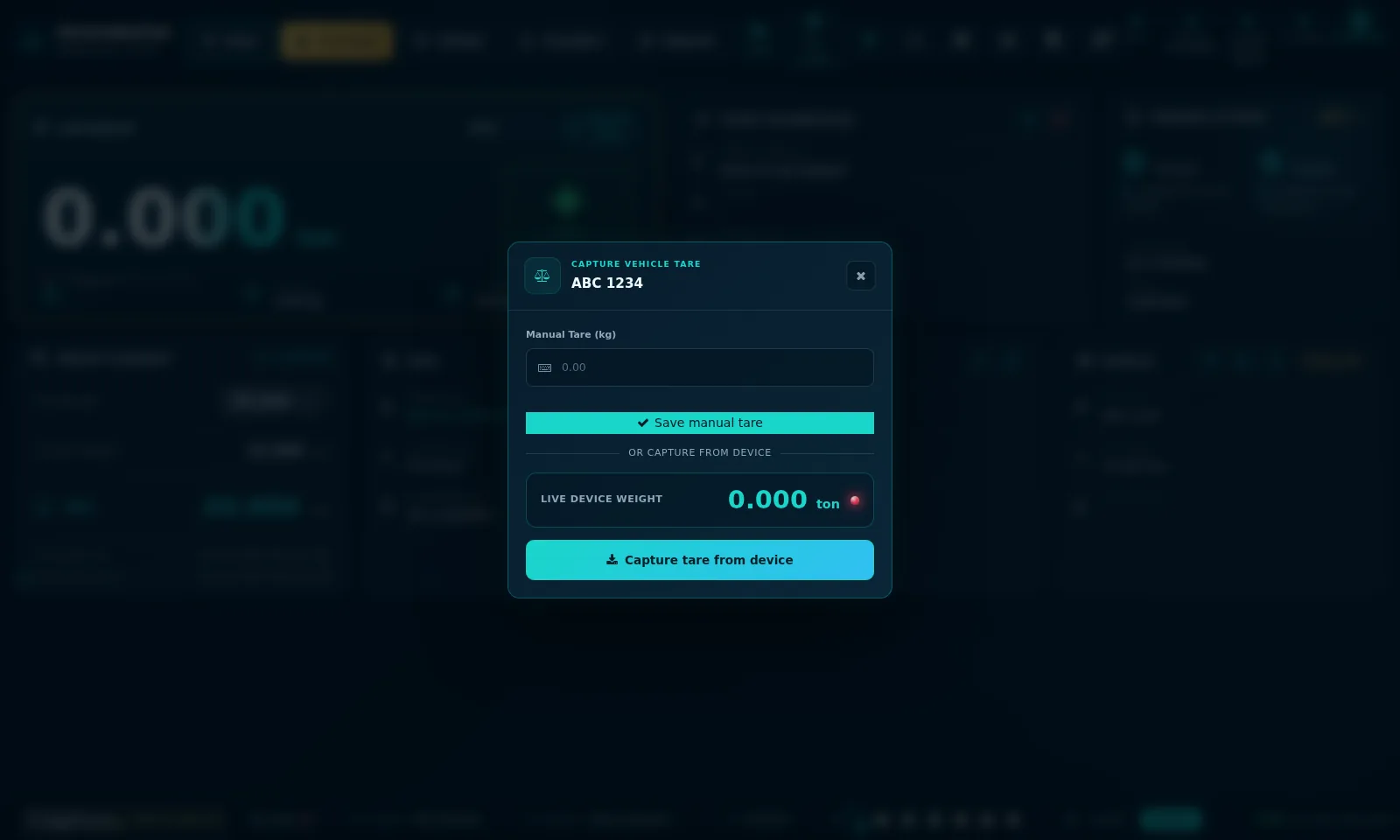
Any business that buys, sells or moves bulk material by the ton.
Captiva Weighbridge is weighbridge software for truck scales, built on Odoo. It reads the scale, issues two-weighing tickets linked to purchase, sales and transfer contracts, and sends confirmed tickets to your Odoo ERP.
Yes. Each weighbridge has its own local database and keeps weighing with no connection. Tickets are queued and synced to the central ERP automatically when the connection is back.
Any scale indicator with a serial output (RS-232 or USB-serial) can be read directly in the browser. The data format is checked and configured on site during installation.
No. The weighbridge station runs on Odoo 18 Community. Your central ERP can be Odoo Online, Odoo.sh or a self-hosted Odoo.
Yes. Any number of stations, with several scales per site, connect to one central server, and the connection status of every station is visible from head office.
Yes. The full operator interface is available in Arabic and English and can be switched with one click.
Pricing depends on the number of weighbridge stations and the integration your ERP needs. Contact us for a demo and a quote.
Book a live demo. We will show the full ticket flow and how it connects to your Odoo ERP, and give you a quote for your sites.
Request a demo WhatsApp us