
Captiva AI: Your Partner for Innovative Digital Solutions. We specialize in crafting cutting-edge websites, mobile apps, AI-powered systems, and Odoo ERP solutions.
Loading
Captiva AI: Your Partner for Innovative Digital Solutions. We specialize in crafting cutting-edge websites, mobile apps, AI-powered systems, and Odoo ERP solutions.
 Our Solutions
One place where employees file their requests, managers approve their team and HR runs the whole company, on desktop and mobile.
عربيCaptiva HR Portal is an employee self-service portal built on Odoo 18. Employees request leave, missions, permissions, work from home and loans, and follow their balances, attendance and payslips. Managers approve their team from one inbox, and HR follows attendance, absences, pending requests and balances from its own console, without opening the Odoo back end.
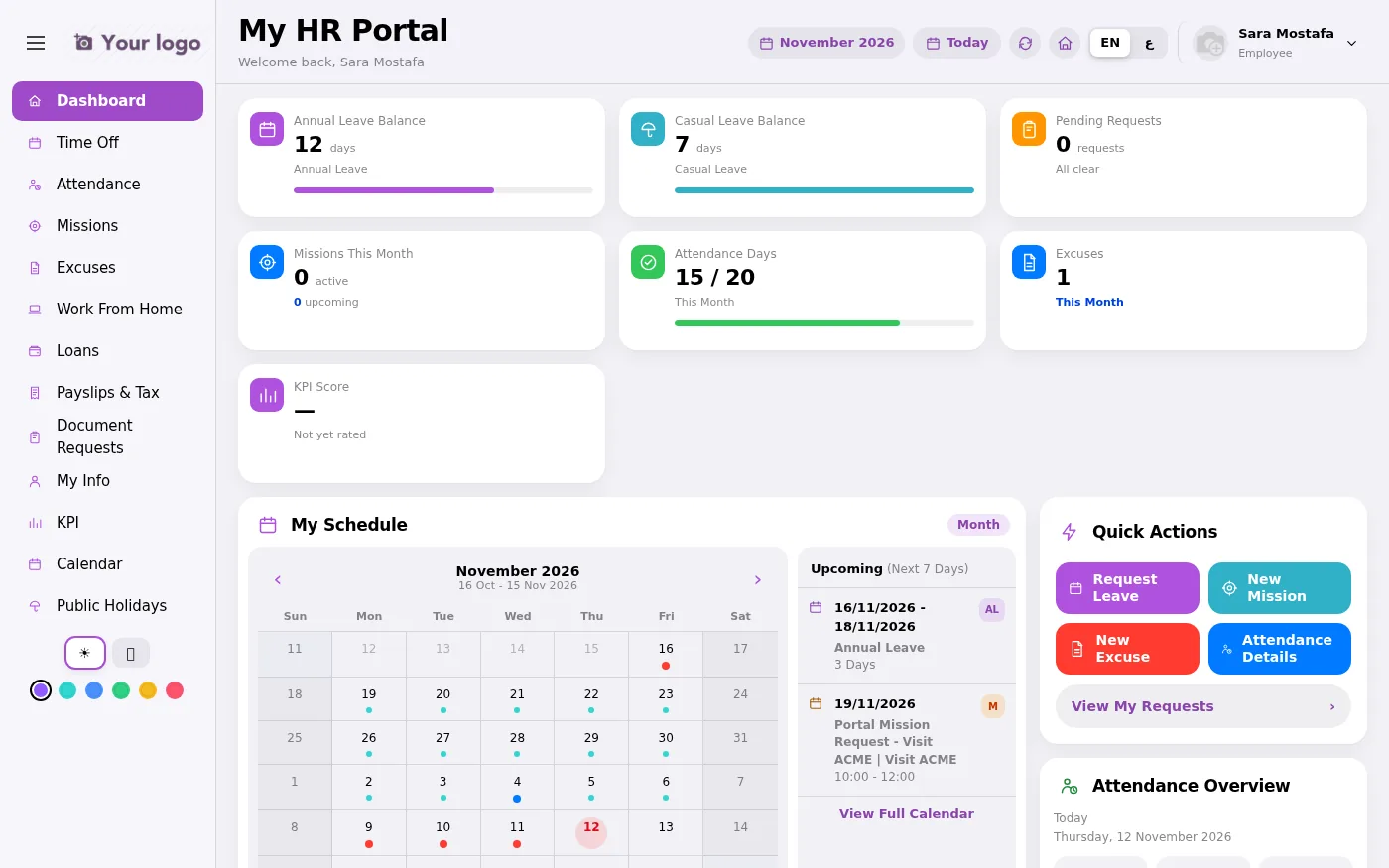
Screenshots from a demo database with fictional people.
One flow from the employee's request to payroll.
Leave, mission, permission, work from home or a loan, with attachments, from a computer or a phone.
The direct manager approves or refuses from the Team Approvals inbox, one request at a time or several at once.
The next stages of your approval chain stay with HR, who can also file requests on behalf of employees.
Leave balances, the attendance calendar and the status of every request update for the employee straight away.
Approved loans become instalments deducted from the salary. Payslips and the annual tax certificate download as PDF.
Managers rate their team every month; HR gives the final approval and the result moves to payroll.
Employees, line managers and the HR team each get the screens they need.
Request, edit and follow leave, with the remaining balance for every leave type and a timeline of each approval step.
Check in from the portal and see a monthly calendar of on-time, late and absent days. Click a late or absent day to file an excuse, mission or leave for it directly.
Request types that HR configures without code, with attachments and the live approval status.
Request a loan within the allowed budget and follow the instalment schedule deducted from payroll.
Download confirmed payslips and the annual income and tax certificate as PDF.
Request salary or experience certificates, and ask for personal data updates that HR approves.
All the team's requests in one list, showing the current stage in the approval chain. Search, filter, and approve or refuse one or many.
Pending approvals, absences and expiring balances for the company. File on behalf of employees, send bulk excuses for absentees, and allocate leave to an employee or a whole department.
Full right-to-left Arabic and English, light and dark mode and six accent colours. On phones the menu becomes a bottom tab bar.
Real screens from the demo database, in English or Arabic.
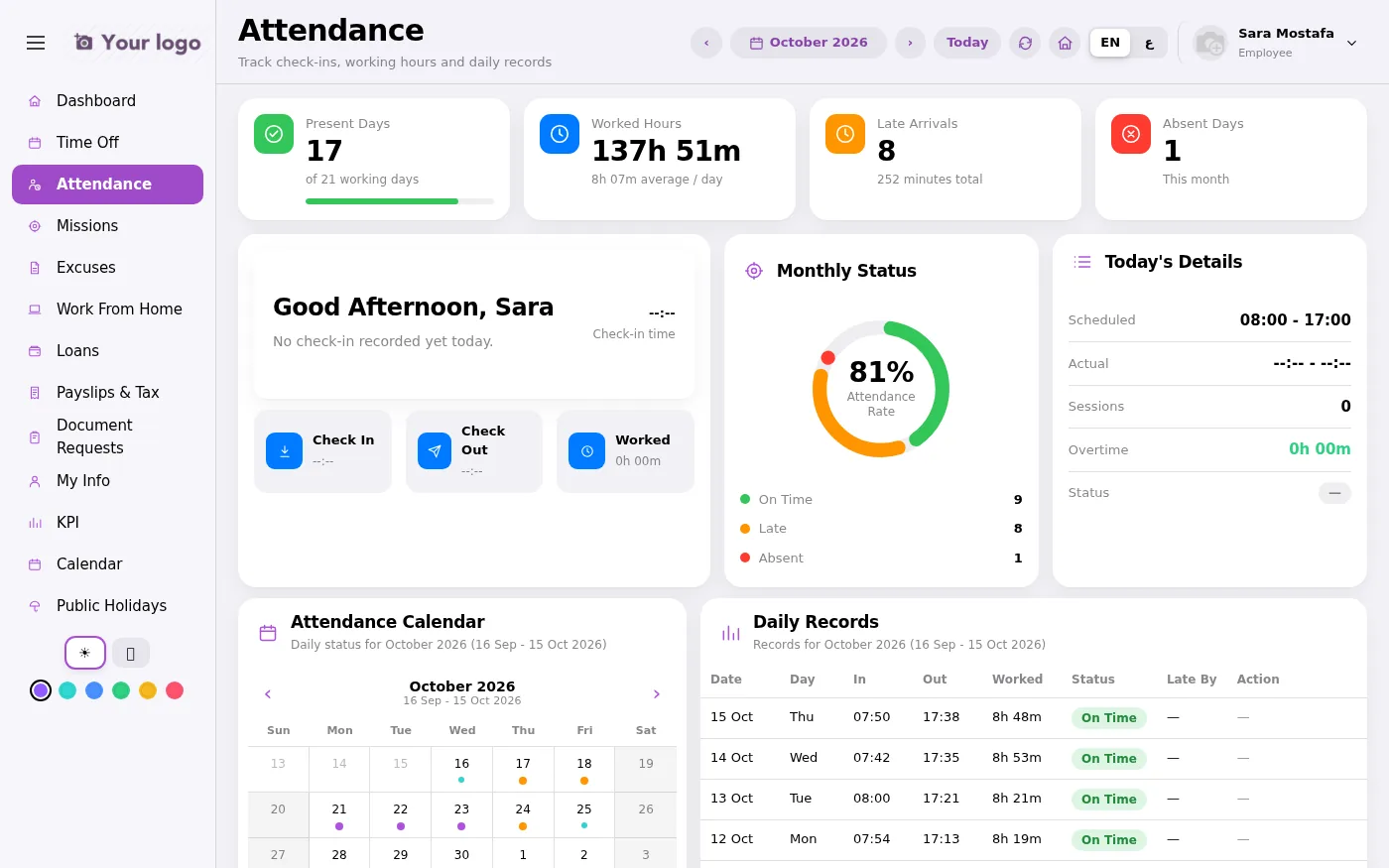
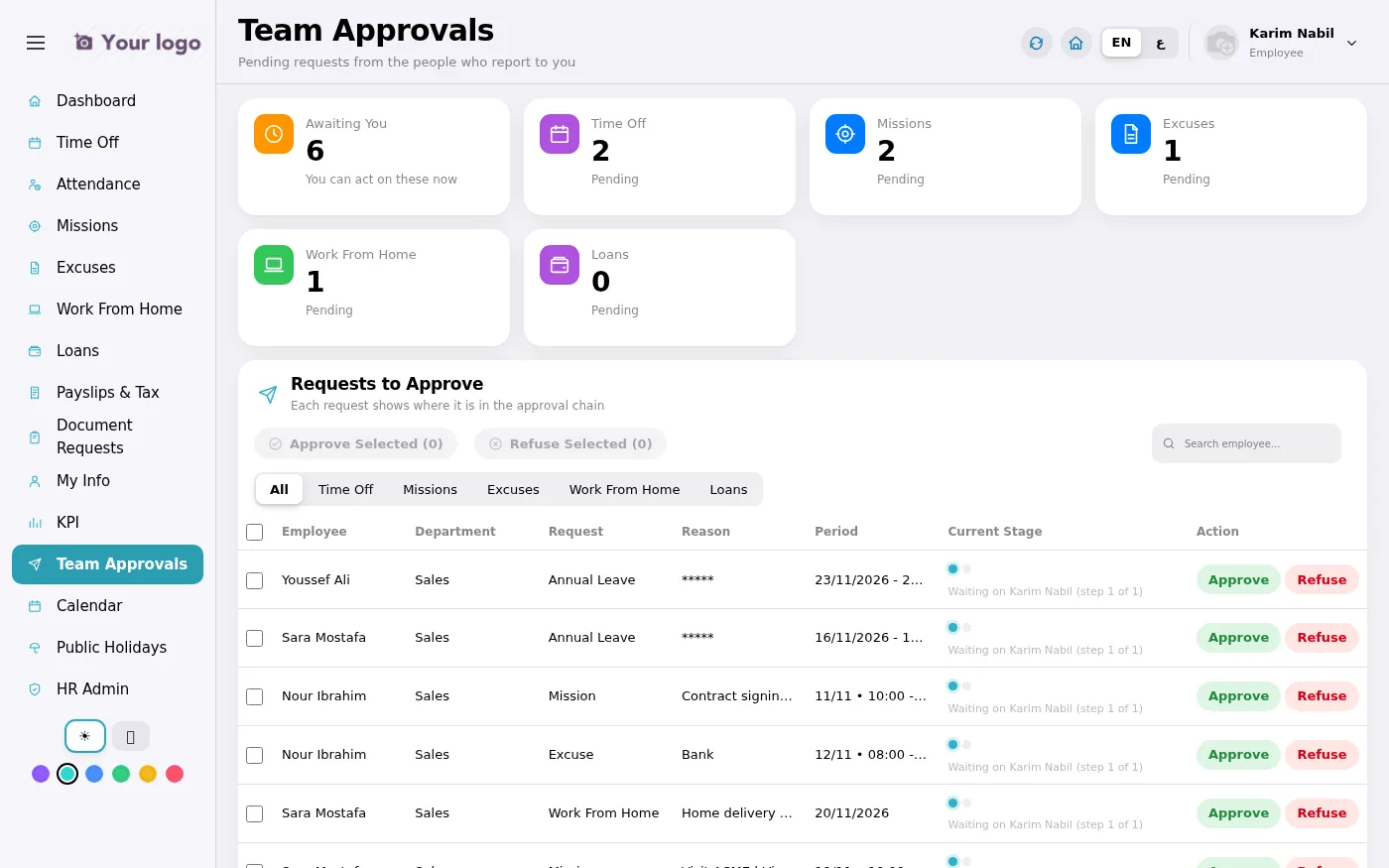
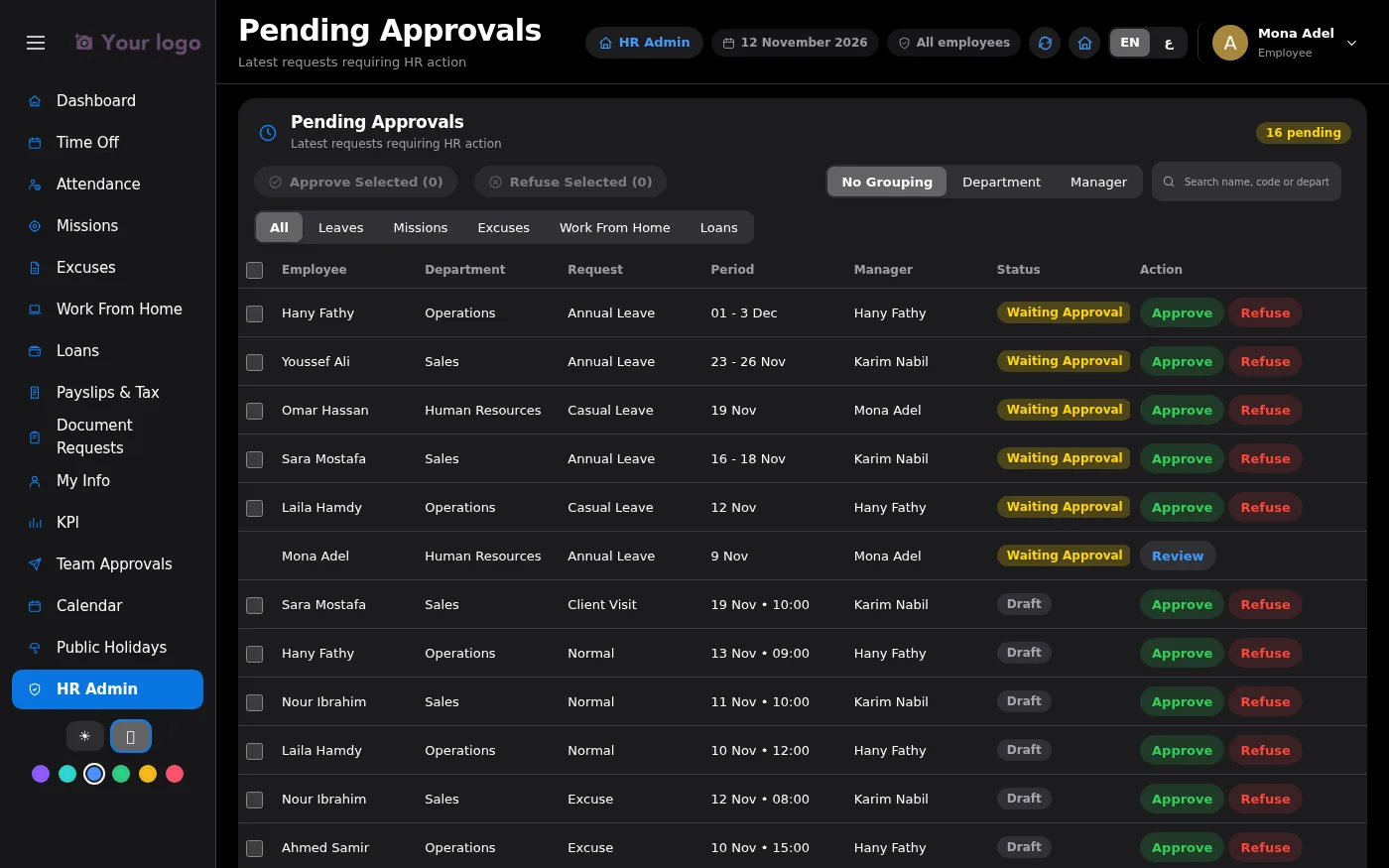
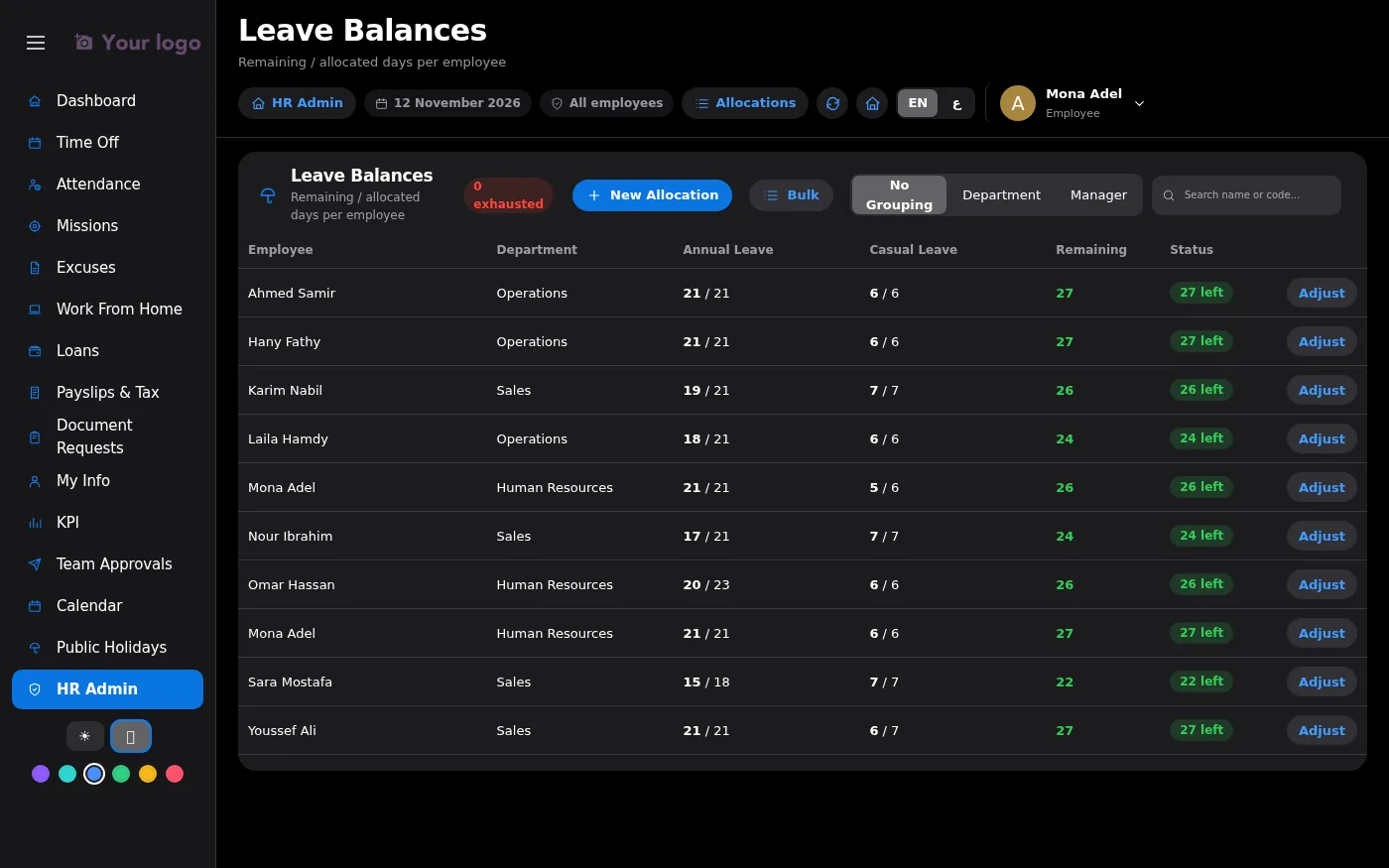
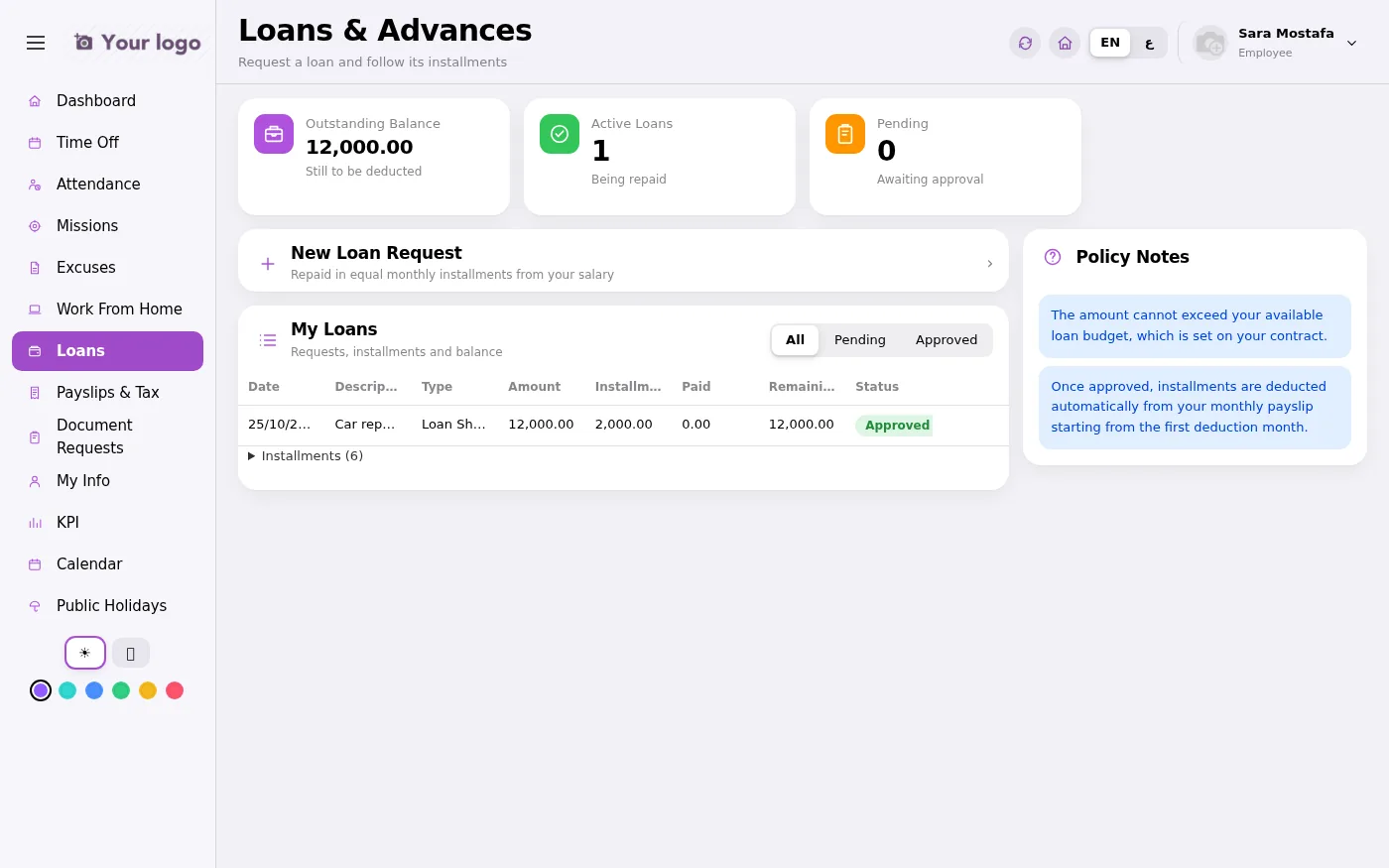
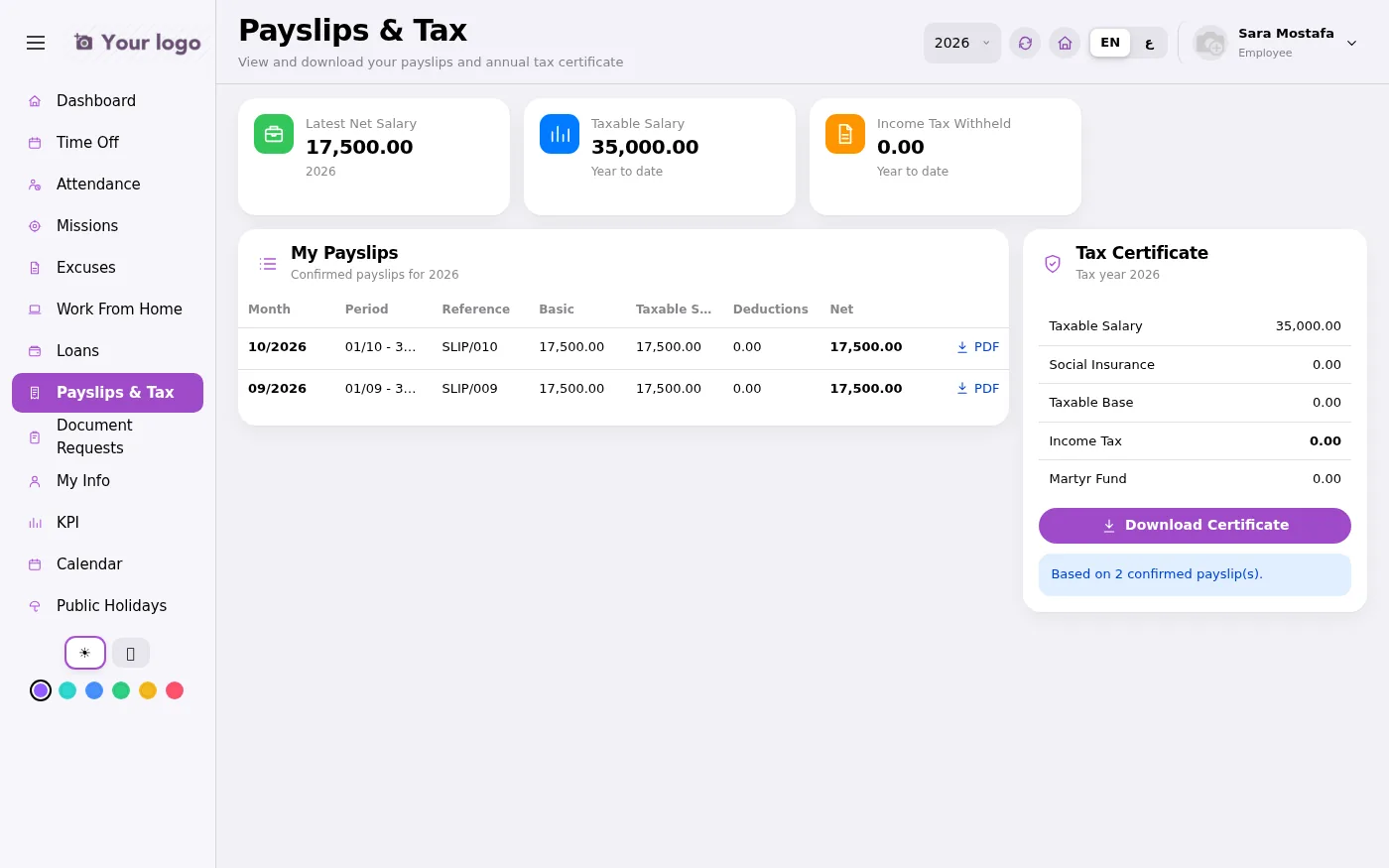
Every user sees only what concerns them.
An employee self-service portal built on Odoo 18. Employees file and follow their requests, managers approve their team, and HR manages the whole company from one console.
Yes. It runs on Odoo 18 Enterprise with the Employees, Time Off, Attendance and Payroll apps. Loans also need the Accounting app.
Yes. It works in any modern mobile browser. On phones the menu becomes a bottom tab bar and forms open as sheets from the bottom of the screen.
Yes. The whole portal is available in right-to-left Arabic and in English, and each user switches with one click.
Requests follow your approval chain: the direct manager approves from the Team Approvals inbox, and HR gives the final approval.
Yes. HR can record leave, missions, excuses or attendance on behalf of any employee, and file excuses in bulk for absentees.
Pricing depends on the number of employees, the customisation you need and the support plan. Contact us for a demo and a quote.
Book a live demo. We will walk through the employee, manager and HR screens and prepare a quote for your company.
Request a demo WhatsApp us